ONE LINE, MANY THINGS
Splits a stream of thought
into appointments, deadlines
and list items, all at once.
Events, tasks, shopping lists, ideas:
one place, no forms to fill in.


How it works · 01
Write things down as they come, even messy.
I split them up and file each one under the right project.
I always show you before saving.
How it works · 02
Nothing to reopen, no field to hunt for:
reply in the chat like you would to a person,
and the card updates itself. Every action can be undone.
How it works · 03
People, places and clients live in a memory
you can see and edit any time.
From then on I never have to ask who’s who:
I’ll add the address to the note myself.
How it works · 04
Describe the goal: I’ll break it into tasks, deadlines and
appointments, with dates that actually hold up. If you’d rather
start from ideas, I’ll ask you a few questions first.
The app
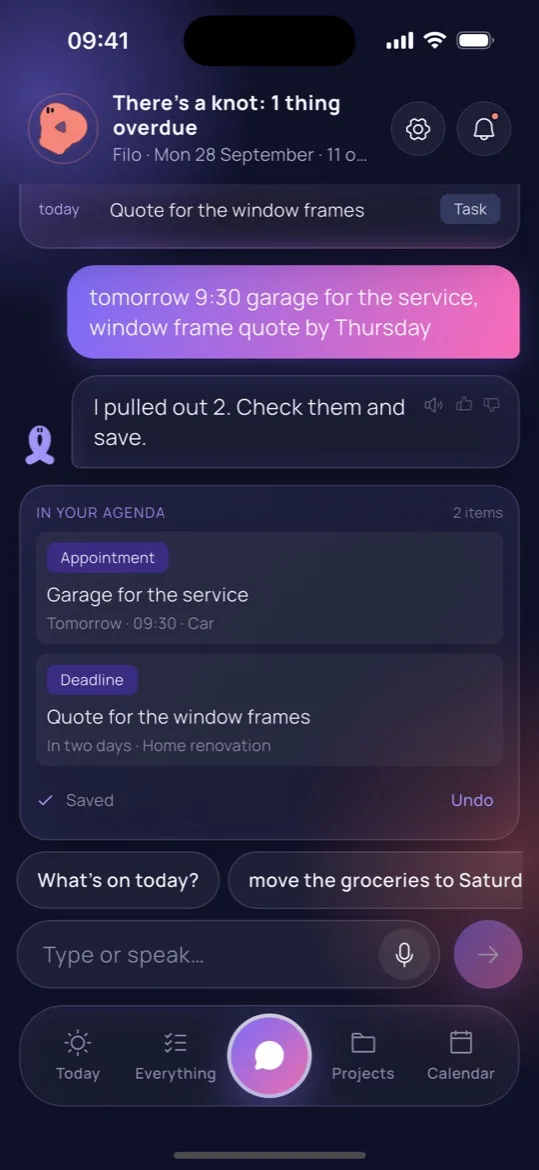
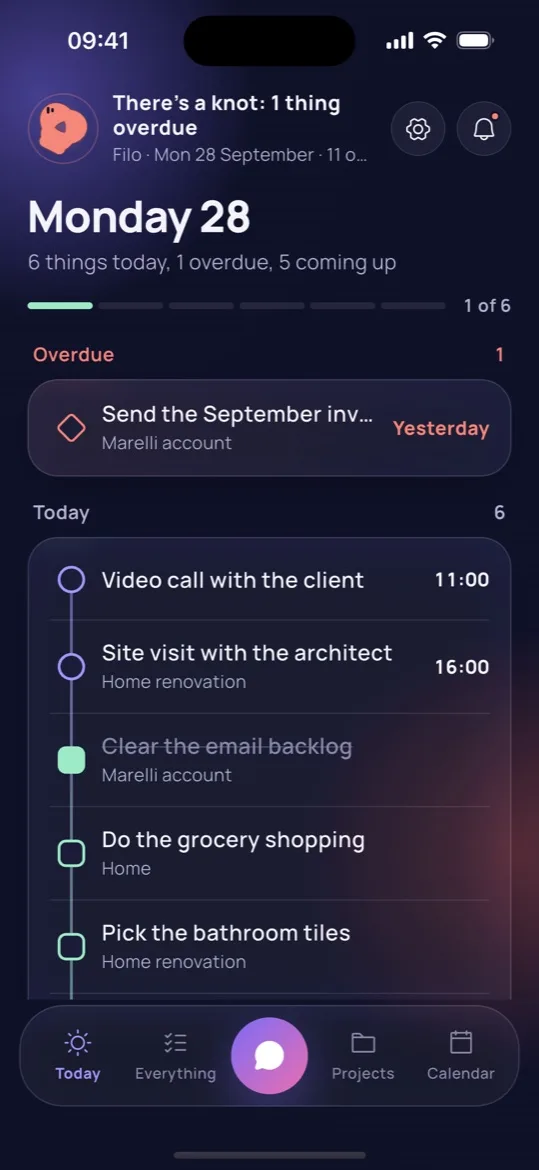
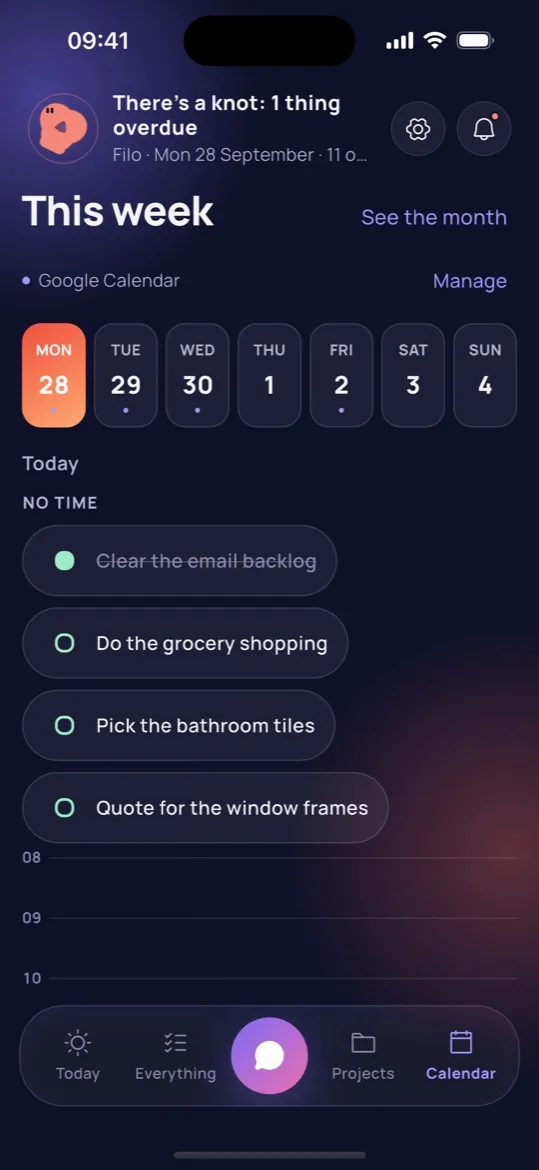
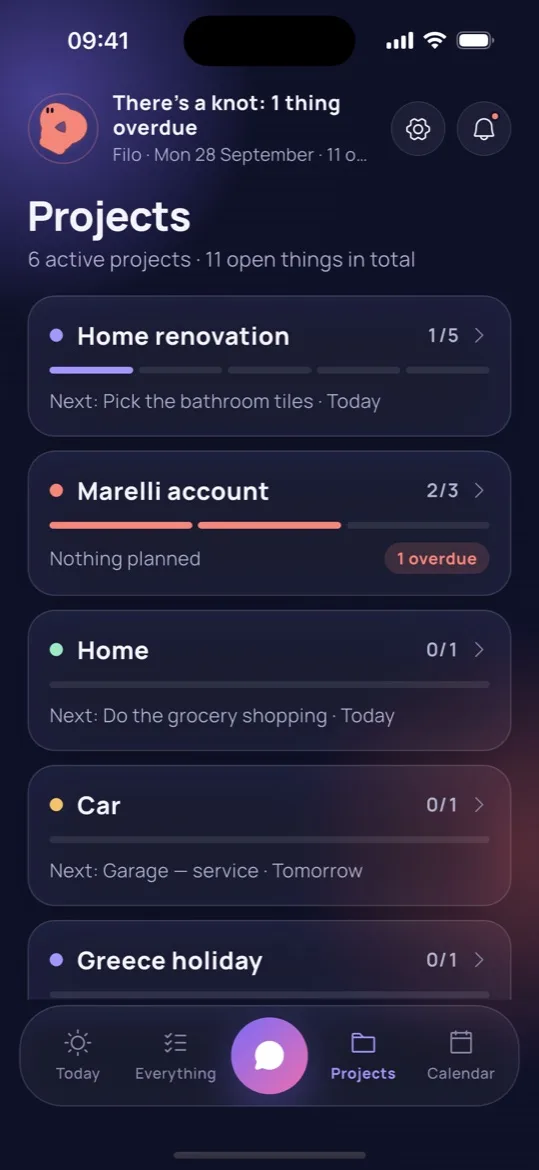
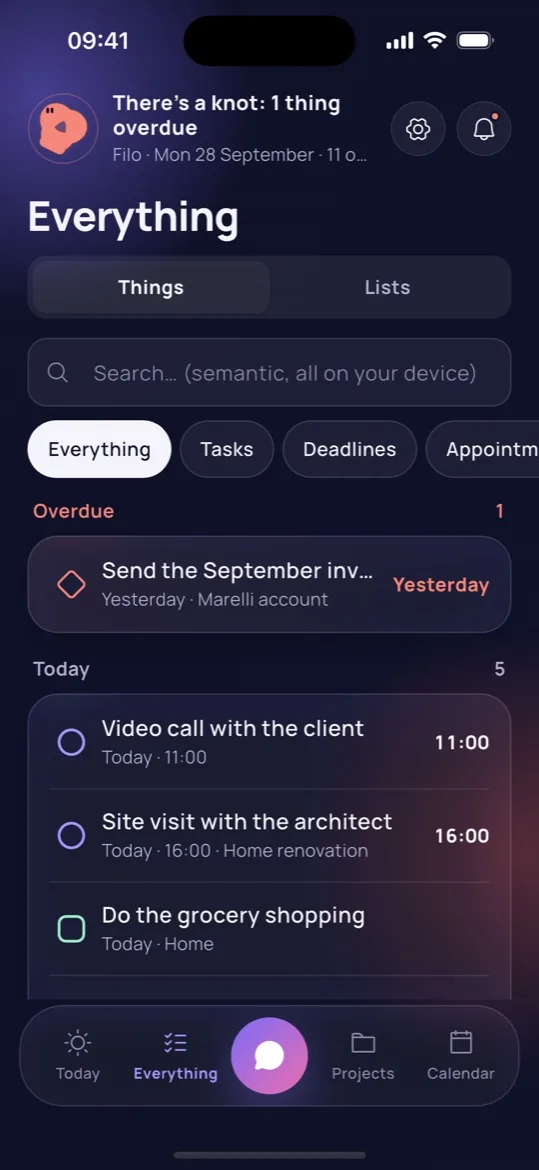
Not a mock-up: these are the real screens of the app
on the App Store and Google Play.
Privacy
Data in Europe, no ads, nothing sold to third
parties. The assistant receives what you write and an
excerpt of your things, never your phone contacts.
Features
Splits a stream of thought into
appointments, deadlines and list items.
“From 9 to 11, urgent” becomes a two-hour block at
the top of your day, and it warns you about overlaps.
Groceries, pharmacy, packing: it makes
and fills them, you tick off as you shop.
Rename, dictate, select and remove:
projects stay clean without any forms.
Recognises the people you mention and lets
you call or text them with one tap.
Contacts never leave your phone.
Your phone’s calendar, always; Google
Calendar with Filo Pro. Real durations,
and repeats as proper series.
Pricing
Filo is on the App Store and Google Play.
Download it, write the first thing on your mind: it does the rest.
And when you need more, Filo Pro is free for the first month
The free plan includes the whole agenda and 30 assistant messages a month.
After the trial month, Filo Pro is €4.99 a month or €34.99 a year (prices may vary by country).
 FILO
Get the app

Events, tasks, shopping lists, ideas:
one place, no forms to fill in.

HOW IT WORKS
Write things down as they come,
even messy.
I split them up and file each one under
the right project. I always show you
before saving.
presentation call friday at 12 and meeting at 5pm
I’m adding the presentation call on Friday
at 12 and the meeting at 5pm, have a look.
Presentation call
In two days · 12:00
Meeting
In two days · 17:00

Nothing to reopen,
no field to hunt for:
reply in the chat like you would
to a person,
and the card updates itself.
Every action can be undone.
move the seminar to friday
Moving the seminar to Friday,
your call.
Seminar
Tomorrow 13:00 → In two days 13:00

People, places and clients live in a memory
you can see and edit any time.
From then on I never have to ask who’s who:
I’ll add the address to the note myself.
saturday 8pm Lavinia’s birthday at her place
I’m adding Lavinia’s birthday
on Saturday at 8pm, at hers in Via Roma 3,
have a look.
Lavinia’s birthday
Sat 3 Oct · 20:00
Via Roma 3

Describe the goal: I’ll break it into tasks,
deadlines and appointments, with dates that
actually hold up. If you’d rather start
from ideas, I’ll ask you a few questions first.
Running: easy session
Sat 10 Oct · Rome Marathon
Running: easy session
Tue 13 Oct · Rome Marathon · every Tuesday
Keep going Tuesday, Thursday and Saturday in the weeks after.
Rome Marathon registration
Fri 15 Jan · Rome Marathon
Rome Marathon
Sun 14 Mar · Rome Marathon
Race day.
Everything in its project,
with progress
always in view.
Your day at a glance:
what’s overdue
and what’s coming up.
Type it out:
I draft the cards
and save only if you say yes.
Your week
at a glance,
with your calendars.
Things and lists in one view,
with search that gets
what you mean.

Splits a stream of thought
into appointments, deadlines
and list items, all at once.
Groceries, pharmacy, packing:
I create and fill them, you tick
things off as you shop.
“From 9 to 11, urgent”
becomes a two-hour block
at the top of your day, and
I warn you about overlaps.
Rename, dictate, select and
remove: projects stay clean
without opening a form.
I recognise the people
you mention: call or text
them with one tap.
Contacts never leave
your phone.
Your phone’s calendar,
always; Google Calendar
with Filo Pro. Real durations,
repeats as proper series.

Data in Europe, no ads, nothing sold
to third parties. The assistant receives what
you write and an excerpt of your things,
never your phone contacts.

FREE
€0 / month
PRO
Recommended€4.99 / month

Filo is on the App Store and Google Play.
Download it and write the first thing that
comes to mind: it takes care of the rest.
Free to download and to use,
no subscription needed.
And when you need more,
Filo Pro is free for the first month
The free plan includes the whole agenda
and 30 assistant messages a month.
After the trial month, Filo Pro is €4.99 a month
or €34.99 a year (prices may vary by country).
Questions
Yes: the first month of Filo Pro costs nothing. If it’s not for you, cancel from the store before it ends and you pay nothing; otherwise the plan you picked starts.
Yes, from your App Store or Google Play settings, in two taps. You stay Pro until the end of the period you’ve paid for, then go back to the free plan without losing anything.
Filo keeps going: it switches to the quick engine, which understands the most common sentences even offline. Your messages reset the next month; with Pro they never run out.
In Settings, “Delete account and data” wipes everything straight away: account, agenda, memory and ratings. No need to email us, and nothing is left behind.
No. Offline, Filo still understands the most common sentences and saves everything on your phone: it syncs by itself when you’re back online.
Never. Everything it understands is shown in a card you can edit, and every action can be undone.
Yes, in the chat and inside projects. Your phone does the transcription; the audio never reaches us.
They stay on your phone. They’re only used to recognise the people you mention and let you call them with one tap.